Requirements (opens in a new tab)
If you don't know how to get your API credentials in the Dashboard, please consult Getting your API Key (opens in a new tab) documentation.
To Get Started with this SDK, Make sure you have a Flutter application ready. Also make sure you have subscribed to the various payment providers you want.
Dependencies. See the current version on pub (opens in a new tab)
flutter_payunit: <latest_version>Get package using:
terminal
flutter pub get flutter_payunitUsing the SDK (opens in a new tab)
Import PayUnit in the required widget
import 'package:flutter_payunit/flutter_payunit.dart';Use the pay button as a widget.
PayUnitButton(

	apiUsername: "<Your apiuser>",

	apiPassword: "<Your apiPassword>",

	apiKey: "<Your apiKey>",

	mode: 'live', // live or sandbox

	paymentCountry: '<Transaction country>'

	notifyUrl: "<Your notification url>",

	returnUrl: "<Your return url>",

	totalAmount: "<Your transaction amount>",

	currency:"XAF",

	buttonTextColor: Colors.white,

	buttonText: "Pay now",

	width: double.infinity

	color: Colors.orange

	actionAfterProccess: (transactionId, transactionStatus, phoneNumber, transactionGateway) {

		// a callback that has transactionId, transactionStatus, phoneNumber and transactionGateway

		if(transactionStatus == "SUCCESS"){
			// Handle successful transaction
		}else if(transactionStatus == "FAILED"){
			// Handle failed transaction
		}

	},

	onPaymentInitiated: (transactionId, phoneNumber, transactionGateway) {
        // In case user closes the app before transaction status is gotten,
        // store transaction details locally and constantly check status anywhere from app
        // For more info on getting transaction status, check: https://developer.payunit.net/rest-api/get-payment-status
        // An example function to get transaction status is provided below
	},

),
Example function to get transaction status in background:
// USe this function to check transaction status in background when user closes app.
  Future<Map<String, dynamic>> getTransactionStatus({
    required String xApiKey,
    required String apiUserName,
    required String apiPassword,
    required String mode,
    required String transactionId,
  }) async {
    final dioClient = Dio(
      BaseOptions(
      baseUrl: "https://gateway.payunit.net",
      connectTimeout: const Duration(seconds: 15),
      contentType: 'application/json',
      ),
    );
    final token = base64.encode(utf8.encode('$apiUserName:$apiPassword'));
    final response = await dioClient.get(
      '/api/gateway/paymentstatus/$transactionId',
      options: Options(
        headers: {
          'Authorization': 'Basic $token',
          'x-api-key': xApiKey,
          'mode': mode,
        },
      ),
    );
    // final status = response.data['data']['transaction_status'];
    return response.data;
  }
Then in your app a PayUnit button will appear. When clicked, performs the actual payment. Note, the transactionId is automatically generated. You can access it in the actionAfterProcess callback of the PayUnitButton.
Demo (opens in a new tab)
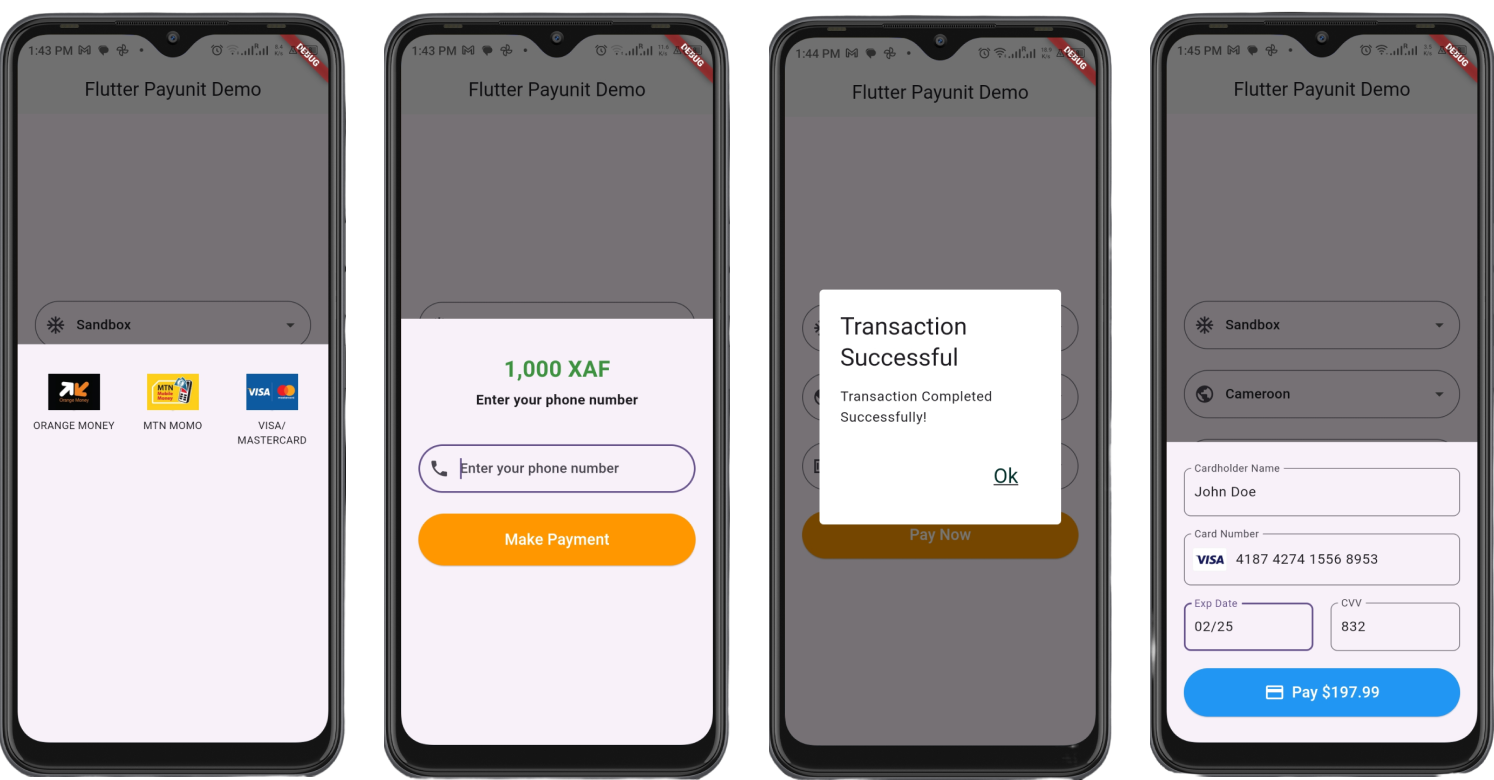
Watch demo video here https://youtu.be/QrcgV2g8LzE (opens in a new tab)